Backups

A friendly backup service, providing compression, encryption, offsite storage, and retention policy handling.

License

License

GroupId

GroupId

com.yammer.backups
ArtifactId

ArtifactId

backups-parent
Last Version

Last Version

1.0.2
Release Date

Release Date

Type

Type

pom
Description

Description

Backups
A friendly backup service, providing compression, encryption, offsite storage, and retention policy handling.
Project URL

Project URL

https://github.com/yammer/backups
Source Code Management

Source Code Management

http://github.com/yammer/backups/

Download backups-parent

Filename Size
backups-parent-1.0.2.pom 5 KB
Browse

How to add to project

<!-- https://jarcasting.com/artifacts/com.yammer.backups/backups-parent/ -->
<dependency>
    <groupId>com.yammer.backups</groupId>
    <artifactId>backups-parent</artifactId>
    <version>1.0.2</version>
    <type>pom</type>
</dependency>
// https://jarcasting.com/artifacts/com.yammer.backups/backups-parent/
implementation 'com.yammer.backups:backups-parent:1.0.2'
// https://jarcasting.com/artifacts/com.yammer.backups/backups-parent/
implementation ("com.yammer.backups:backups-parent:1.0.2")
'com.yammer.backups:backups-parent:pom:1.0.2'
<dependency org="com.yammer.backups" name="backups-parent" rev="1.0.2">
  <artifact name="backups-parent" type="pom" />
</dependency>
@Grapes(
@Grab(group='com.yammer.backups', module='backups-parent', version='1.0.2')
)
libraryDependencies += "com.yammer.backups" % "backups-parent" % "1.0.2"
[com.yammer.backups/backups-parent "1.0.2"]

Dependencies

There are no dependencies for this project. It is a standalone project that does not depend on any other jars.

Project Modules

  • backups-service
  • backups-api
  • backups-storage-file
  • backups-io-codec

Backups as a Service

Build Status Maven Central

Once upon a time in a world full of custom scripts rsync'ing, compressing and encrypting data dumps here and there we decided to unify all the backup tools in a single, easy to use service.

The backup service provides a REST API for securely storing data store dumps into different backend storage such as Azure or the local filesystem.

Additionally, the backups service provides easy auditing, monitoring, retention and verification.
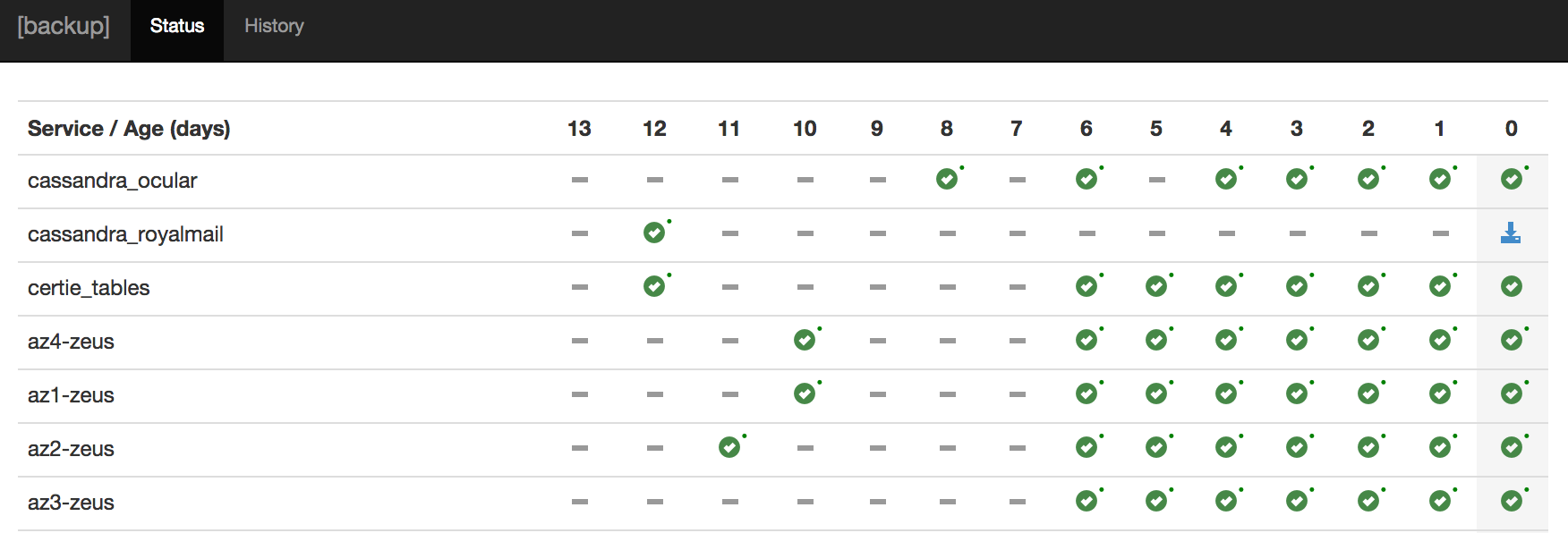
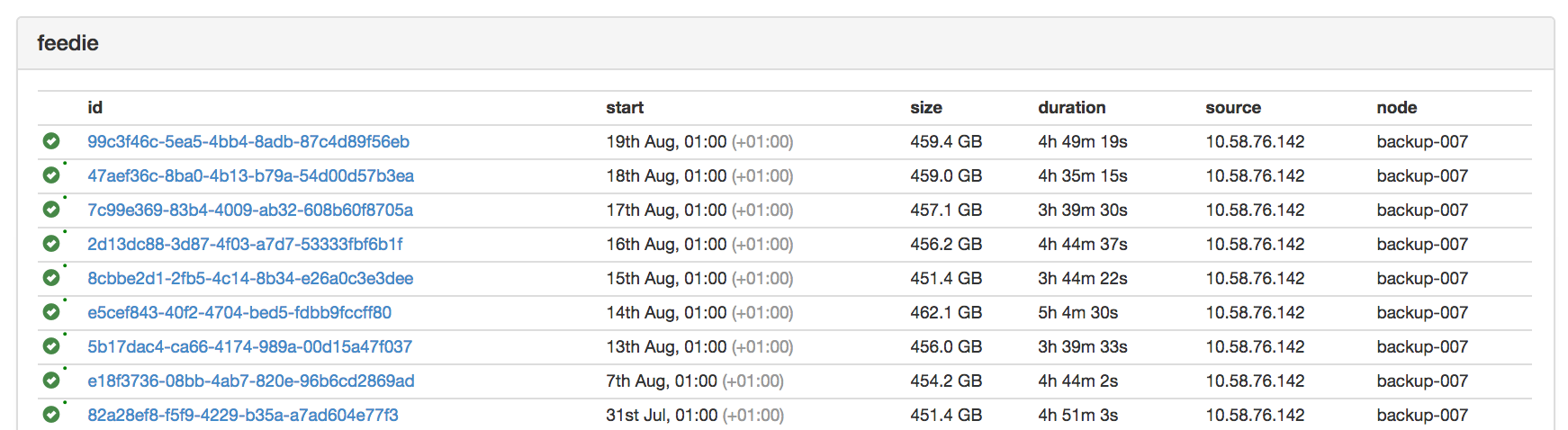
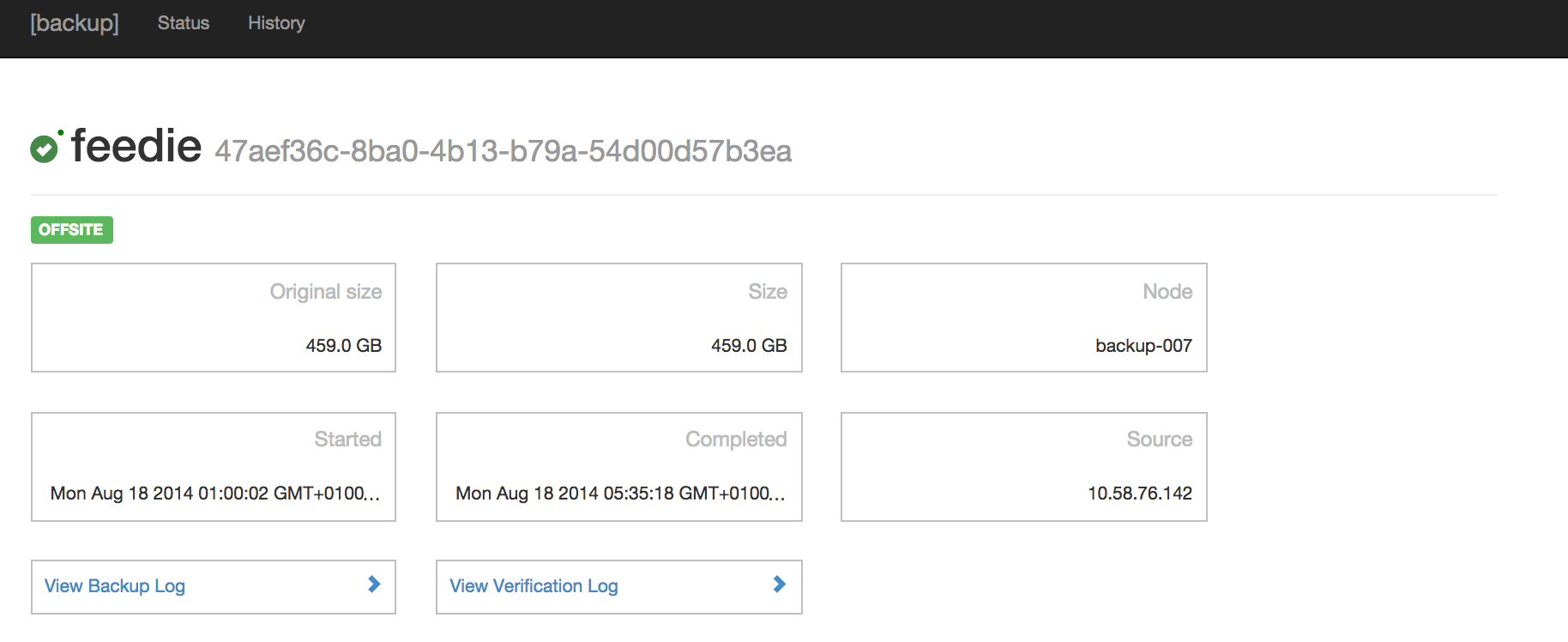
Main

History

Details

For documentation, check out the wiki.

Runtime Dependencies

Getting Started

  1. Copy and fill in the sample configuration file, found at backups-service/conf/backups.yml.template. Documentation on the Backups specific configuration options can be found in the wiki, and the inherited Dropwizard configuration options at dropwizard.io.
  2. Build the project: mvn clean package
  3. Run the service: `java -jar backups-service/target/backups-service-.jar server ``
  4. The UI and API will be available over HTTPS on port 8443 (or as defined in the configuration file).

Next Steps

  • Set up client scripts to perform data export. Usually these will be configured to run using a crontab. An example can be found in the clients/example directory.
  • Set up alerting for backup failures. Alerting is handled using Dropwizard health checks, which are exposed on the configured admin connector (by default, via HTTP on port 8081).

Contributors

License

Released under the Apache 2.0 license.

Microsoft LCA request 9424

com.yammer.backups

Yammer

Connect with people across your organization to make better decisions, faster.

Versions

Version
1.0.2